
Searching North Carolina Court Dockets
Every North Carolina case starts in one county. The official paper file stays with that county's Clerk of Superior Court no matter where you search. Begin online when you have a party name, a citation, or a case number. The statewide portal is the public entrance for eligible trial-court cases. A result points you to the filing county. From there the county directory can take you to the clerk for missing documents, older files, or certified copies.
Keep one caution in mind. A docket result is an index of court activity, not a certified record. It never replaces a notice sent by the court.
- Open the North Carolina eCourts Portal and choose Smart Search for a state trial-court case.
- Enter the case number if known. For a North Carolina name search, use the party's last name first, then the first name.
- Open a matching case number and review its Case Summary and Register of Actions for parties, events, hearings, and linked North Carolina public documents.
- Record the county and case number. Use the North Carolina county directory to reach the correct Clerk of Superior Court for paper records or certified copies.
- For a North Carolina appearance, compare Hearings with the written notice and confirm unclear dates with the county court office.
North Carolina eCourts Search Covers All Counties
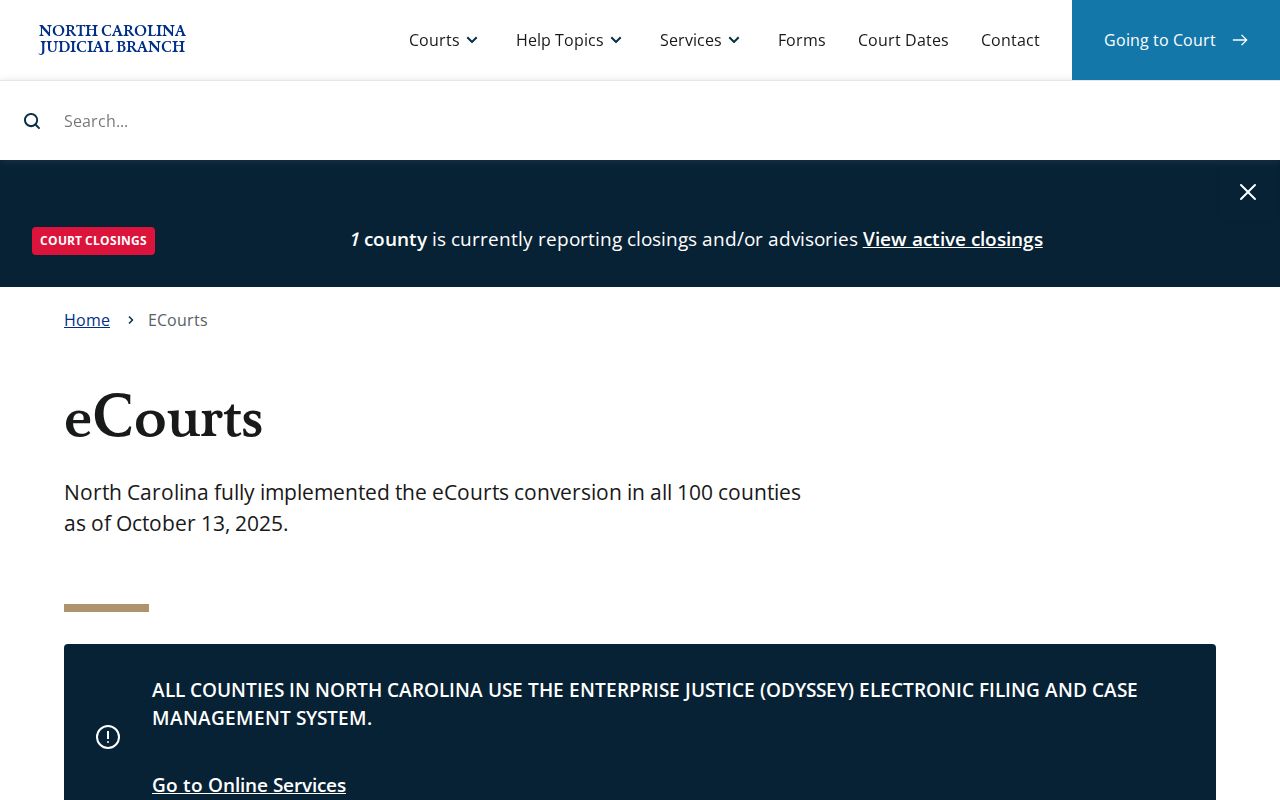
The final milestone came on October 13, 2025. The North Carolina Judicial Branch announced its last 13 counties had gone live, giving the public case system coverage in every county. The rollout moved in stages before that. Wake, Harnett, Johnston, and Lee were among the earliest locations, and Mecklenburg joined in 2023. That history explains old training screens. A 2023 location menu listed only a few counties. That screen showed which ones were converted then, not today's statewide system.
Coverage and record availability are different things. All 100 counties now connect. Every North Carolina county court system is on the platform, yet a sealed case, a confidential juvenile file, an unscanned paper exhibit, or a simple search mismatch can still hide information from a public user. The portal is a shared front door to eligible cases. It does not pull the official file away from the county clerk. No central state office takes over. The North Carolina Judicial Branch's eCourts page describes the platform itself. The North Carolina rollout map shows implementation only, not a live case search.
For any North Carolina matter, the Portal gives the public case view. The filing county's clerk provides the complete file and any official copy.
Inside the North Carolina Statewide Case Search
The North Carolina eCourts Portal is the public search layer for eligible state trial cases. Its Smart Search takes a case number or a party name. Hearings, Payments, and Judgment Search sit alongside it as other Portal services. Click a case number. That opens the Case Summary and the Register of Actions, the docket's chronological core. The view depends on the case and access rules. You may also find case information, assignment, party details, causes of action, events, dispositions, hearings, financial information, and links to public documents.
Basic public search costs nothing and needs no registration. An optional account lets you save cases in My Cases. It grants no attorney privileges. It also gives no wider reach into restricted records. Public documents linked from a case view are often viewable or printable for free. Not every filing gets a link. Remember the division of labor here. The Portal is a statewide index and viewing service. The county Clerk of Superior Court keeps the official trial-court file. The North Carolina Court System page shows how filing and public search fit together.
| Search Field or Control | What the Guide Documents | Current-Use Caution |
|---|---|---|
| Smart Search | Basic query accepts a case number or party name. | For an individual, enter last name before first name. |
| Case number | North Carolina format uses a two-digit year, case-type letters, six-digit sequence, and three-digit county identifier; example 21CR000003-910. | The guide example is format-only. Do not decode a county suffix without a verified key. |
| Location | Optional advanced filter. | The October 2023 guide showed All Locations plus five early counties. It is historical UI evidence, not a current coverage list. |
| Case type and status | Optional refinements for case categories and status. | The guide warns mismatched filters can hide a case; current full options were not verified. |
| Name and wildcard | Last name first; guide describes minimum characters and an asterisk for partial searches. | Use a broad search first, then narrow carefully. |
| Results | Basic searches can return up to 200 records. | Refine a common-name search by county, year, or case type. |
When a North Carolina Portal Search Misses
A blank Portal result does not mean a case was dismissed or never existed. First check your own input. Retype the case number. Put a person's surname first. Drop advanced filters that clash with the case type or status. Common names can also hit the 200-result ceiling. When that happens, add a likely county or year after the broad search. Traffic matters bring their own quirks. A citation may not have been entered yet. It may require a court appearance, or it may carry a data-entry error.
Other gaps trace to North Carolina access rules or the record's age and format. Juvenile, sealed, expunged, and some protection-order information stays out of ordinary public search. Legacy case information was migrated during the eCourts conversion. Still, the Judicial Branch does not promise a universal oldest searchable year or that every old paper document was scanned. So a public case summary can appear while an exhibit or signed paper order still sits in the county file.
Work the problem from a few angles. Try the exact case number, a second spelling, and a search with fewer filters. If a public case still will not appear, contact the Clerk of Superior Court in the filing county. Ask whether the case was converted, whether the item is restricted, or whether a paper file must be pulled. One last rule. Never treat a Portal result as a full certification of the case record.
Which North Carolina Courts Keep Dockets
North Carolina runs its trial courts through two divisions. Magistrates also handle set tasks inside District Court. Felony trials and most civil suits above $25,000 belong to Superior Court. District Court takes misdemeanors and infractions. It also covers family and juvenile cases, plus civil claims up to its dollar limit. Small claims go to a magistrate, capped at $10,000. In every county, one elected Clerk of Superior Court keeps the docket records for both divisions. That clerk also acts as judge of probate.
| Court | Docket Covers | Where to Search |
|---|---|---|
| Superior Court | North Carolina felony trials; civil claims over $25,000; qualifying business cases; some appeals. | eCourts Portal for public search; county Clerk of Superior Court for the file. |
| District Court | Misdemeanors, infractions, family and juvenile cases, and civil matters generally up to $25,000. | eCourts Portal for eligible cases; same county clerk keeps the record. |
| Magistrate functions | Small claims up to $10,000, summary ejectment, warrants, initial appearances, and certain pleas. | District Court matter; search Portal, then ask the county clerk. |
| Court of Appeals and Supreme Court | Separate appellate cases after a trial-court appeal. | NC Appellate Courts document library and official opinions pages. |
North Carolina Trial and Appeal Dockets
An appeal opens a second docket. The county trial file may list the notice of appeal or record preparation. The briefs, motions, and rulings live in a separate appellate case. It has its own number. Searching the original county number will not pull those filings. For them, use the appellate document library. The Judicial Branch's opinions archive covers published decisions.
A District Court misdemeanor or infraction judgment can move up to Superior Court for a whole new trial. Most Superior Court appeals land at the Court of Appeals, with Supreme Court review governed by appellate rules. Federal district court cases appeal to the Fourth Circuit. Wherever a case sits, write down both numbers. The county clerk answers questions about the trial file. The appellate clerk handles everything filed later.
North Carolina Docket Terms in Plain Words
The Portal labels the pieces of a case view in its own way. People still say "court docket" as a handy umbrella term for everyday searches. Inside the Portal, the event list carries the label Register of Actions. That name describes a chronological index. So it will not capture every paper filed or every word spoken in the case.
- Register of Actions
- The North Carolina Portal's dated list of case events, filings, settings, and other recorded steps.
- Case Summary
- The overview that connects case details with the event list and related information.
- Setting
- A scheduled court appearance or proceeding, sometimes shown in the case's Hearings section.
- Continuance
- A postponement that moves a proceeding to a later date.
- Disposition
- The recorded resolution of a case or charge; read the linked order when exact terms matter.
- De novo appeal
- A new trial in the receiving court, rather than only a review of the earlier record.
North Carolina publishes no current, complete glossary for every event code. Read each event exactly as the text displays it. When an entry is unclear, ask the clerk rather than guessing what an unexplained code might mean.
What a North Carolina Court Docket Shows
A Portal case view in North Carolina can blend case identity with a dated event history. Which fields appear depends on the case type and your access rights. A case number often packs in several pieces. These include the filing year, a case-type indicator, a sequence, and a county identifier. The format below comes from the Judicial Branch's guide. Treat it as an illustration, not a live case.
| Case Number | North Carolina example format: 21CR000003-910. The year, type letters, sequence, and county suffix help distinguish cases; do not infer the county without a verified key. |
|---|---|
| Parties | Public party roles may identify the State and defendant in a criminal matter, or plaintiff/petitioner and defendant/respondent in a civil case. |
| Case details | Case type, filing date, court, county, assignment, and a civil cause or criminal charge may appear. |
| Events and filings | The Register of Actions may list filings, motions, orders, hearings, pleas, judgments, continuances, and dispositions by date. |
| Hearing settings | A Hearings panel may show a date, time, location, courtroom, and judicial officer when that information is public. |
| Financial information | Some cases show costs, fines, payments, or balances. Amounts can change as the court records later activity. |
| Documents | A public document link may accompany an event, but the online view is not a transcript or certified copy. |
Always read the date and the description together. A charge entry is an allegation, not a finding. A reset or continuance should be checked against the later setting it points toward. A disposition line may sum up the result. But it may not show every term of the signed judgment. When exact wording matters, pull the filed paper or a certified clerk copy.
North Carolina Casework by the Numbers
The North Carolina Judicial Branch reported 1,850,050 cases filed in fiscal year 2023-24. It reported 1,964,861 disposed. Those totals measure the sheer scale of North Carolina court activity. They say nothing about how fast any one case moves. Dispositions outnumbered filings. But that does not mean the pending pile vanished, since the count includes older cases and each case type moves at its own speed.
The same annual report lists 811,185 criminal traffic filings. It also lists 324,118 infractions and 310,730 non-traffic criminal filings in District Court. Civil magistrate filings reached 208,801, against 195,216 reported civil filings. North Carolina defines its categories carefully. So do not blend the figures or read them as counts of people. They do explain why a traffic ticket lookup and a small-claims search can run down different paths, even though both tie back to the county trial court.
The Judicial Branch's case statistics dashboard was launched in December 2025. It adds filters for county, court, case type, pending workload, and age. Name the year and filters behind any comparison. A statewide annual total cannot predict the timing or status of an individual case.
North Carolina Public Access to Dockets
North Carolina does not treat its court files like ordinary agency records. There is no one central public-information request. N.C. Gen. Stat. § 7A-109 covers records kept by the Clerk of Superior Court. It allows public inspection during regular office hours unless another law restricts access. The Portal offers remote access to eligible information. But that authority does not put every paper or case online. Chapter 132 governs public agency records, such as NCAOC administrative material. NCAOC says it holds no county case files.
Juvenile records, sealed material, expunged matters, and protected personal information all carry separate limits. A public search account does not lift them. When a court record or proceeding is withheld, G.S. 1-72.1 offers a court motion process to press for access; it is not an automatic release. Need a case file? Contact the Clerk of Superior Court in the filing county through the county directory.
North Carolina access rules:
G.S. 7A-109 addresses public inspection of clerk-held court records, subject to legal restrictions.
North Carolina Constitution, Article I, Section 18 supports open courts while allowing lawful limits.
G.S. 1-72.1 provides a motion route for a person asserting access to a proceeding or record.
Chapter 132 covers public agency records; it is not the usual way to request a county case file.
North Carolina Court Copy Costs in 2026
A free Portal lookup and a paid clerk copy are two different services. The current North Carolina miscellaneous cost chart sets statewide base charges for clerk copies and certification, effective in 2026. Before sending a request, ask the county Clerk of Superior Court about delivery, payment processing, and any local fulfillment steps.
| Service | Statewide Amount | What It Covers |
|---|---|---|
| North Carolina Portal case search | Free | Public case information; ordinary search does not require registration. |
| Available Portal documents | Free to view or print, when available | Not every filing has a public image online. |
| Plain clerk copy | $2 first page per document; $0.25 each additional page or fraction | Copy from the county-held case file. |
| Certificate under seal | $3 | Certification added to a clerk copy. |
| Exemplification | $10 | A separate formal authentication product. |
| Criminal record search | $25, subject to statutory exceptions | A distinct clerk search service, not the free Portal lookup. |
The current court-cost chart controls over an old web page or a guess. North Carolina sets no uniform county surcharge and no statewide mail-copy turnaround time. Your county clerk can confirm the total for the exact document and whether you need plain, certified, or exemplified form.
North Carolina Dockets Moved to One Portal
North Carolina finished its move to a single case system through a county-by-county rollout. All 100 counties were reported live on October 13, 2025. Training screens from earlier phases show only what existed then. Treat them as history, not as today's limits. No oldest searchable year has been set. No fixed refresh interval applies statewide. And there is no promise that every old paper document was scanned.
Three systems now share the work. Tyler File & Serve receives authorized filings. Enterprise Justice/Odyssey manages the cases. The North Carolina Portal is where the public searches. Access to a filing or case-management tool does not make a case public. The official trial file itself stays with the county clerk.
Additions came quickly. A case-statistics dashboard arrived in December 2025. Remote-hearing request forms followed in February 2026. Public-library access to North Carolina court services came in April 2026. A library terminal points you to the official tools. It does not change what a record allows you to see. And it does not guarantee a remote appearance.
North Carolina Clerk Holds Both Trial Dockets
One elected Clerk of Superior Court serves each North Carolina county. That single office keeps the Superior and District trial records and handles probate. The same clerk may hold traffic, family, and misdemeanor files. Estate files and small claims sit there too. Cases a magistrate heard are included. The title can mislead, since there is no separate District Court clerk.
The North Carolina Portal helps you identify the county and see public case events. Need a paper file, a missing document, or a certified judgment? Contact the filing county's clerk. There is no statewide clerk counter, request form, contact line, or mail process that covers all counties. So use the county page for current instructions.
Use the North Carolina directory for county seats, local calendars, and clerk contacts.
Court Dockets by County in North Carolina
A North Carolina public search tells you where a case was filed. The county Clerk of Superior Court then holds the complete trial-court record. The six largest North Carolina counties by 2020 Census population make useful starting points. They can ease statewide navigation. Keep two cautions in mind. Population is not a court-filing ranking. A county court page may list more than one courthouse or local calendar.
Wake County
Raleigh · state capital region and largest county by 2020 population
Mecklenburg County
Charlotte · largest urban county and second by 2020 population
Guilford County
Greensboro · county court locations also include High Point
Forsyth County
Winston-Salem · Piedmont county-seat route for local clerk information
Cumberland County
Fayetteville · regional court and calendar information
Durham County
Durham · Research Triangle county-seat and clerk route
Open the directory of all 100 North Carolina counties to reach the local court docket site. Each page lists the county seat and the court office you need.