
Searching Civil Dockets in North Carolina
The statewide public entry point for civil trial cases is the North Carolina eCourts Portal Smart Search. Type a case number or a party name. Open the result for its Case Summary and Register of Actions. Every county is covered. Restricted cases and unscanned paper may still stay offline.
Check the county, case type, and division on any result. Civil jurisdiction generally follows the claim's amount and subject. The Clerk of Superior Court in the filing county keeps the files for both District Court and Superior Court and can supply official copies.
- Open the North Carolina eCourts Portal and use Smart Search for a trial-level case.
- Enter the civil case number or party name, last name first for an individual.
- Open the result and check party details, case events, hearings and public document links.
- For a paper file or certified judgment, contact the filing county's clerk through the County Directory.
- For a Business Court matter or appeal, check that court's separate docket resources too.
North Carolina Civil Search in eCourts
A Portal case summary can display the case number, filing date, court, and county. It also shows case type, parties, causes, events, hearings, status, and public documents. Use the current Search Type and case-type labels to narrow results.
The official guide offers cautions. A case-status filter may not match the case type you chose. A basic search can also hit 200 results. Clear filters if a known case fails to appear. Its dated tips suggest at least three characters plus an asterisk for a last name. They also suggest one character for a first name. That helps with partial names, though the current Portal controls govern.
Authorized filers work through Tyler File & Serve, which feeds the state's Enterprise Justice/Odyssey system. That tool is separate from the public docket search.
| Portal field | Use | Search note |
|---|---|---|
| Smart Search query | Enter a case number or party name, last name first for a person. | Refine a broad name search. |
| Search Type | Guide options include party, case number, attorney, business and citation. | Match the type to the identifier. |
| Location | Narrows results to a court location. | Older guides show the rollout menu, not current coverage. |
| Case Type and Status | Filters by category or procedural status. | Clear a mismatched filter. |
Basic public search is free, with no account required. Registering lets you save cases in My Cases. It does not expand access.
Note: A public account can save a North Carolina case for later review, but it will not reveal restricted information.
What a North Carolina Civil Docket Shows
A North Carolina civil docket names the parties and lists recorded procedural steps. The Portal may show filing date, court, county, case type, events, hearings, documents, and disposition. Public fields vary. An event can point to an order without showing its full terms. The docket still shows the step. It just may not quote the ruling itself, so pull the document when the wording matters.
| Case identification | Case number, filing date, county, court division, case type and public status. |
|---|---|
| Parties and counsel | Plaintiff or petitioner, defendant or respondent, and counsel of record when listed. |
| Cause and events | Claim labels and entries for pleadings, service returns, motions or orders. |
| Hearings | Scheduled date, time, location and related hearing details when those fields are available. |
| Judgment or disposition | A recorded outcome or status. The signed order may carry terms not shown in the summary. |
North Carolina captions can change after amendments, counterclaims, or added parties. Treat the Portal as an event index rather than the evidence or full pleading set.
Reading North Carolina Civil Register Entries
Portal views use two related terms. The Case Summary gathers case details, while the Register of Actions lists events in time order. An entry may identify a pleading, service return, motion, hearing, or order without reproducing the filing itself. The state publishes no statewide event-code glossary.
- Cause of action
- The legal claim or issue linked to a civil case.
- Case event
- A recorded filing, action, hearing, order or other step in the docket chronology.
- Setting
- A scheduled court appearance or proceeding, which can later be moved.
- Continuance or reset
- A postponement or calendar change; check later entries for the new date.
- Disposition
- The recorded resolution or status of the matter, not necessarily the full text of the order.
Read the event text instead of guessing at an abbreviation. To learn a ruling's exact terms, open the order or ask the county clerk.
Note: The Register of Actions is an event list, so the filed order remains the better source for the exact terms of a ruling.
Civil Case Types on North Carolina Dockets
Portal categories cover civil general and magistrate cases, foreclosure, and summary ejectment. They also include domestic cases, estates, guardianship, and special proceedings. Domestic matters can include divorce or protective orders. Access limits apply to some of those records.
Magistrates within District Court hear small claims and summary ejectment. Family matters in North Carolina stay county cases. Estates and certain special proceedings go to the Clerk of Superior Court. That clerk acts in the probate role.
Foreclosure and domestic matters with or without divorce appear too. Estate and special-proceeding subtypes include guardianship, trusts, and name changes. Match the category against the case number and the parties. A category alone does not make every record public online.
North Carolina's $25,000 Civil Court Line
North Carolina sorts ordinary civil claims mainly by amount and subject. District Court hears claims of $25,000 or less. Superior Court hears claims over $25,000. G.S. 7A-243 governs civil amount jurisdiction, and the requested relief can matter as well. Magistrate small claims carry a $10,000 ceiling under G.S. 7A-210.
| Forum | General civil role | Docket point |
|---|---|---|
| Magistrate, within District Court | Small claims up to $10,000, summary ejectment and certain property recovery. | Check the civil magistrate category. |
| District Court | Civil claims generally up to $25,000, plus family and juvenile matters. | The county clerk keeps the trial record. |
| Superior Court | Civil actions generally over $25,000 and designated complex business cases. | Business Court is a specialized forum here. |
These are general thresholds, not a case-specific venue decision.
North Carolina Civil Settings and Hearings
A North Carolina civil docket may list motion hearings, status events, scheduling steps, and trial settings. The Portal's Hearings search accepts a case, party, counsel, judicial officer, or courtroom. It also takes hearing type and date range. Results may show the case, setting, date, time, location, and officer. The Register of Actions places each event in the case history.
A later event may set a motion hearing. A continuance resets the date, and the replacement may show up later. Always check the latest entry and any written notice. The North Carolina court dates page lists county calendars and other routes.
If a setting stays unclear, confirm with the court or the county clerk. A docket entry can omit local detail.
North Carolina Business Court Is Superior Court
The North Carolina Business Court is not a separate trial division. It is a specialized forum for complex business litigation. That forum sits within Superior Court. Its assignments, orders, and calendars may sit apart from county Smart Search results. A second search may be needed to see the full docket for one of its cases.
Check the Business Court's official information alongside the Portal. The county file still holds the official trial court records and certified documents. And if the case is appealed, that appeal carries its own docket.
The North Carolina Business Court overview explains this forum. It shows where the forum fits within the Superior Court system.
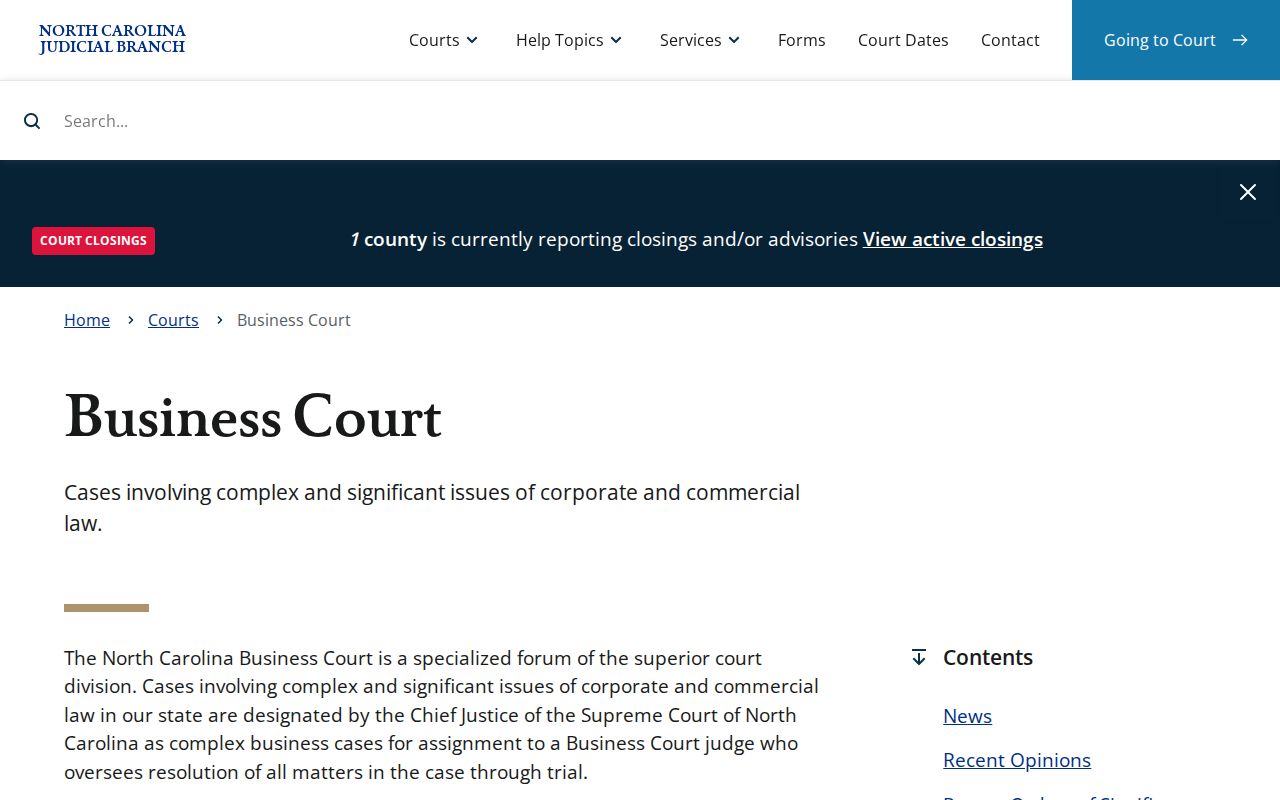
For a case with this designation, pair the county docket and its official record with these specialized resources. Remember what the label means. Business Court designation points to a specialized Superior Court forum, not a separate county clerk or trial-court tier.
North Carolina Civil Appeals Create New Dockets
Watch the county docket for the notice of appeal. Watch it too for the preparation of the trial record. The receiving court then assigns its own docket. Civil and small-claims appeals can proceed in Superior Court. Ordinary Superior Court appeals move to the North Carolina Court of Appeals, with Supreme Court review where permitted. The later case number will not match the original county number. Use the number printed on the appeal papers. Turn to the North Carolina Appellate Courts filing library through the public appellate documents portal for those filings. Keep the county number handy for trial records and certified copies. Following a North Carolina civil appeal works best when both numbers travel together.
North Carolina Civil Docket Access
Plenty of North Carolina civil filings are public. Juvenile matters, some protection-order information, and sealed cases carry access limits, though, and personal identifiers may be redacted. A public Portal account grants no wider reach. G.S. 7A-109 governs clerk-held court records and inspection, subject to those legal limits. Chapter 132, the North Carolina Public Records Law, covers agency records instead, and it is not the usual request route for a county court file.
Access authorities:
N.C. Gen. Stat. § 7A-109 governs inspection of clerk-held court records and provides authority for remote public access, subject to restrictions.
N.C. Gen. Stat. Chapter 132 applies to agency records, not as a substitute for asking the county clerk for a case file.
N.C. Gen. Stat. § 7B-2901 and § 7B-3000 limit access to specified juvenile records.
Contact the filing county's clerk for an official copy. If access gets denied, ask which restriction applies and what court process covers that record.
Missing North Carolina Civil Search Results
A missing North Carolina Portal result has several common causes. A spelling difference, a filter, a restricted case, or a paper document can all hide a filing. Statewide conversion has not put every legacy filing online. An amended complaint can even change the caption, so try the case number. Or search last name first with the filters cleared. When a known public case still fails to appear, use a public terminal or call the filing county's Clerk of Superior Court. Each county sets its own mail, email, ID, and turnaround practices for copy requests. Ask the clerk about local logistics before you send anything. The County Directory routes you to the right office. A Chapter 132 request stays aimed at agency records, not case files. Confirm contact details and copy logistics with the clerk holding the case. County offices differ on the details.